
ERP Coach
SAP School + SAP Library
Learn SAP.Work with confidence.
Structured SAP learning and a reference library you can search in seconds. Built for consultants, key users and anyone learning SAP.
Download on the App StoreTry free for 3 days
★ 5.0 on the App Store
Two ways to master SAP
Learn the why. Look up the how.

SAP School
Learn the why.
- Structured learning paths
- Real SAP examples and quizzes
- Build knowledge step by step

SAP Library
Look up the how.
- Transactions and Fiori apps
- End-to-end processes
- Tables and data objects
- Answers in seconds
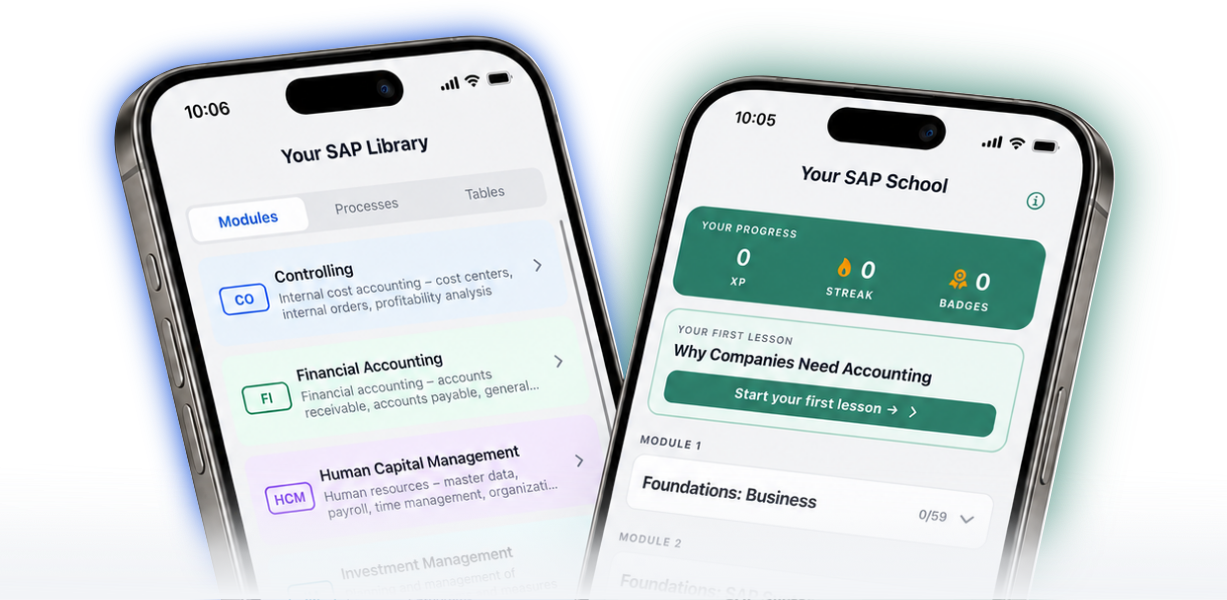
Both live in one app. Learn a concept in School, then look it up in the Library when a project needs it.
Follow structured SAP learning paths
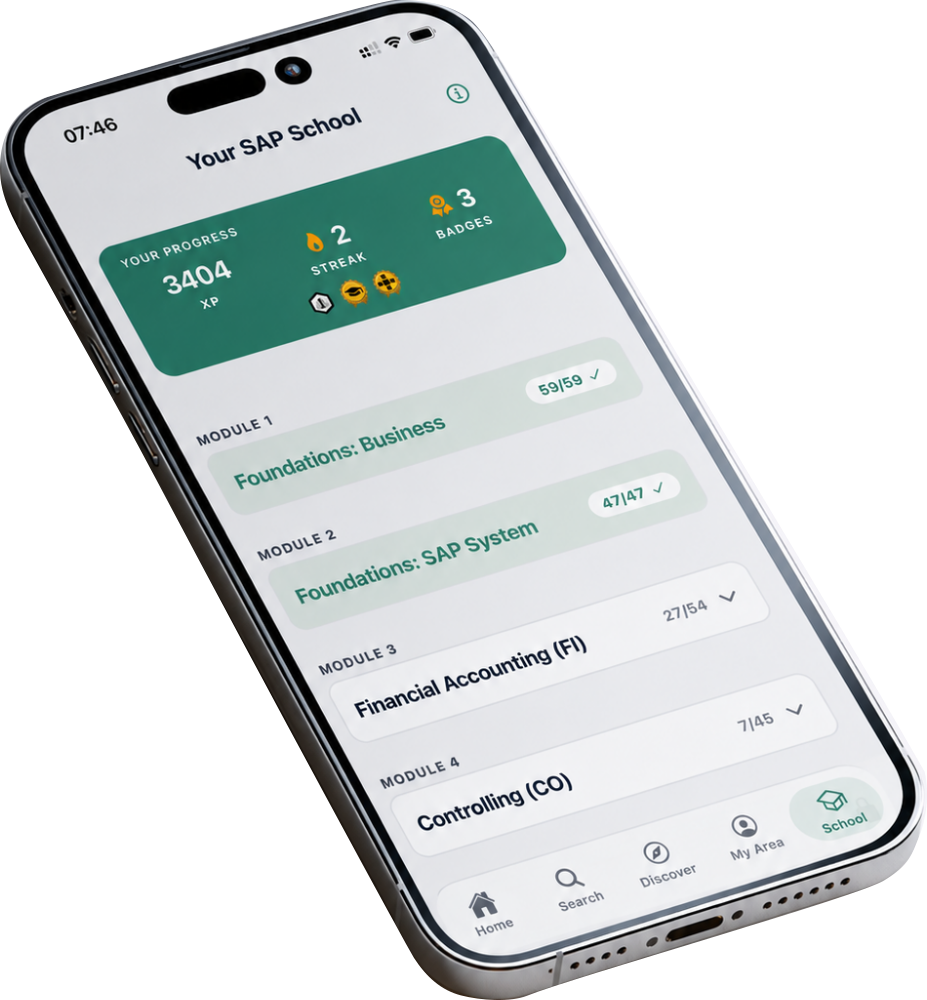
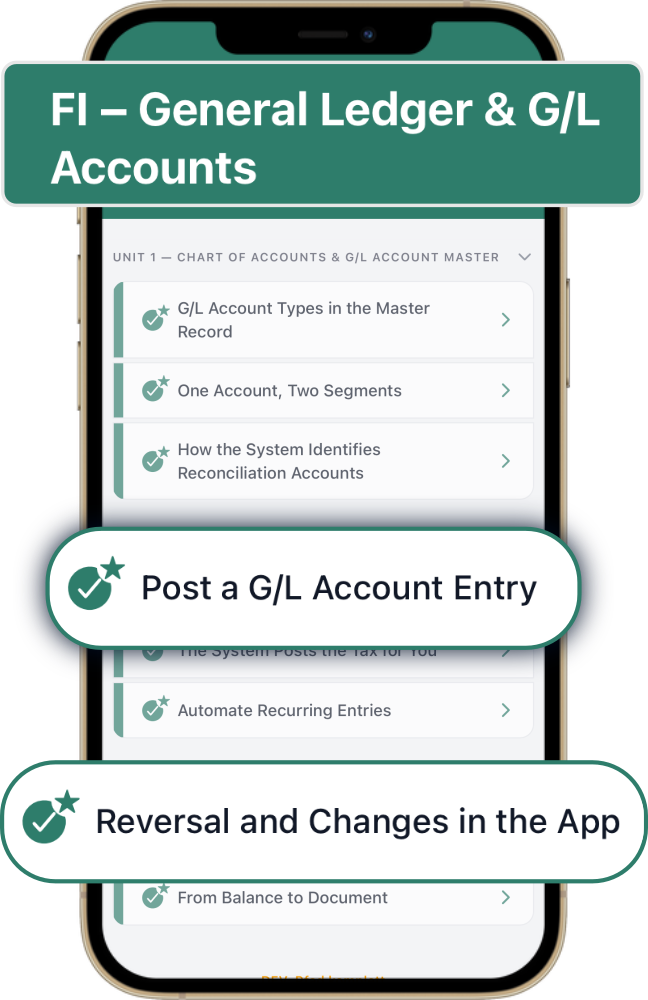
SAP School is a curriculum, not a pile of articles. Modules break down into learning paths, paths into units, units into lessons. You always see what you finished and what comes next.
Most SAP training opens a screen and starts clicking. SAP School starts with the business logic underneath, then shows how SAP implements it. Business first, SAP second.
Learn with real SAP examples
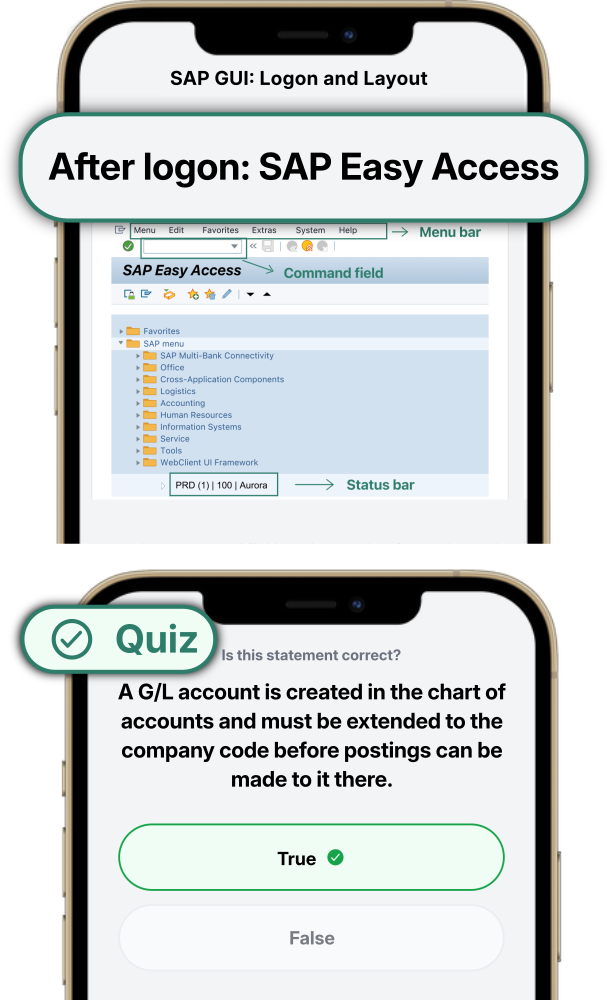
Every lesson takes about five minutes and follows the same shape: a business scenario, focused theory with diagrams, real SAP GUI and Fiori screens, exercises and a quiz, then a takeaway you can keep.
XP, streaks and badges show how your SAP knowledge builds over time.
Find what you need in seconds
The SAP Library holds transactions, Fiori apps, end-to-end processes, tables, data objects and error messages, structured by module. Global search runs across all of it, so you never need to know which category something sits in.
ECC and S/4HANA in one app, switchable with a single tap.
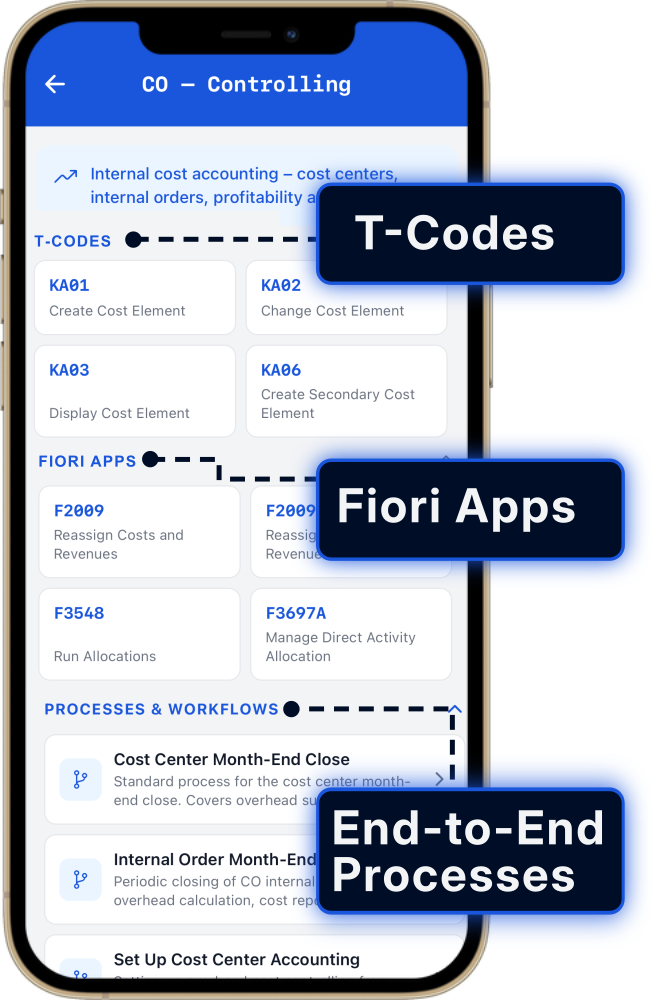
Go deeper into every transaction
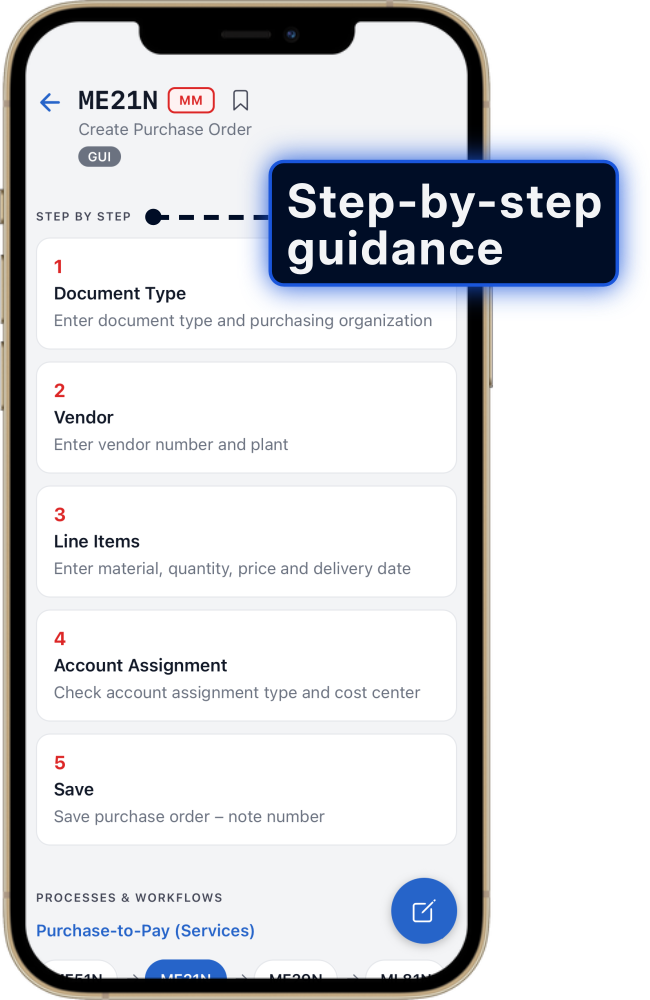
A T-code list tells you that KS01 creates a cost center. That is where most references stop.
ERP Coach shows you how to run it: the exact steps, the fields that matter, the ones that are easy to get wrong and what the system does with your entry.
See what your action changes
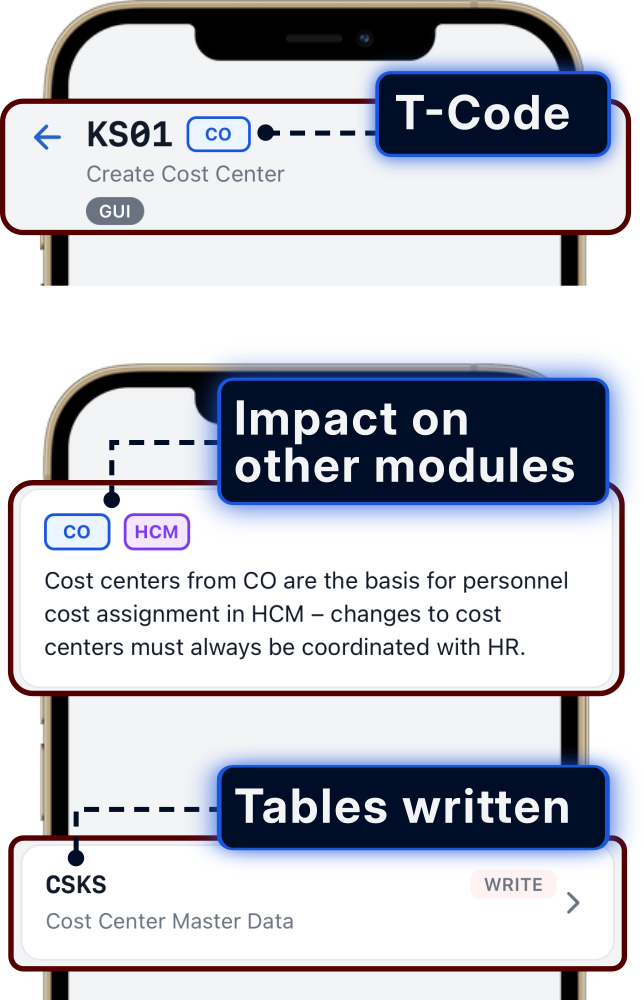
Every transaction has consequences outside the screen you are on. ERP Coach shows which modules your entry touches and which tables it writes to, before you post.
Cost centers you create in CO become the basis for personnel cost assignment in HCM. That kind of dependency is the difference between running a transaction and understanding it.
See the full SAP process
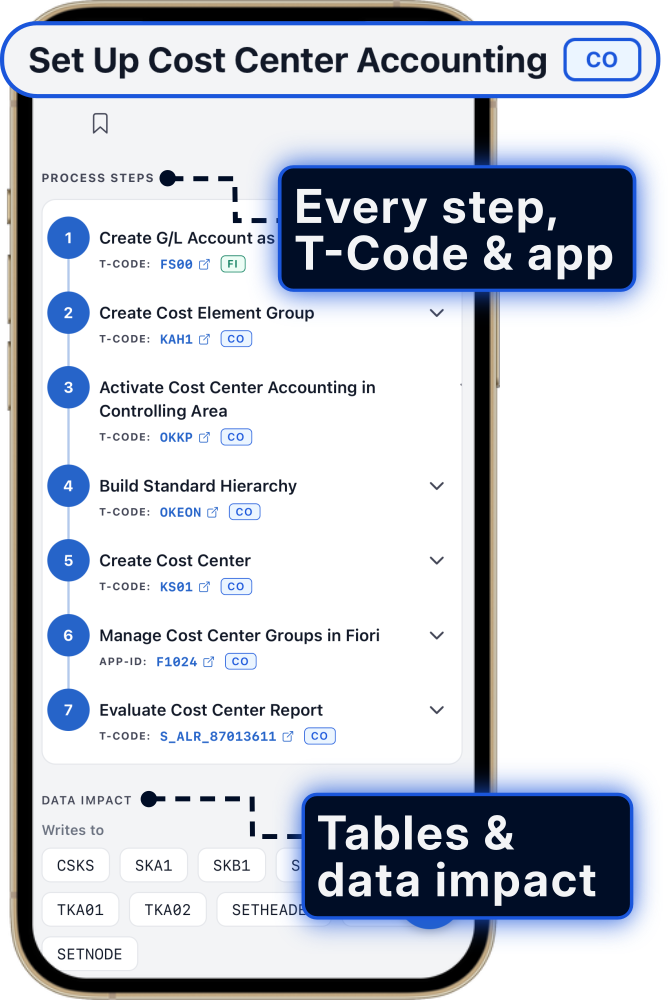
Processes are not shown as abstract diagrams. You follow the actual steps, each with its transaction or Fiori app, the modules involved, the prerequisites and the data it changes.
Purchase-to-Pay, Order-to-Cash, Record-to-Report, cost center accounting and more.
For consultants. For users. For learners.
One platform, three very different situations.
SAP consultants
Look up a transaction you rarely use. Check tables and data impact before a workshop. Learn a module you have never touched. Every senior is a beginner somewhere.
Find answers fast. Work with confidence.
Key users and end users
Understand your own tasks instead of following a click path someone wrote down. Run processes with less guesswork and fewer tickets.
Understand your tasks. Work with confidence.
Learners and career changers
Start without prior knowledge. Build from business fundamentals into FI and CO with real system examples, at your own pace.
Learn SAP step by step, from fundamentals to real system examples.
What is inside
250+ SAP lessons across five areas, plus a library that grows with every release.
Foundations: Business
59 lessons. Balance sheet and P&L, debits and credits, cost accounting, how value flows through a company. No SAP screens yet.
Foundations: SAP System
47 lessons. What makes an ERP system, SAP GUI and Fiori, client and company code, master data, documents, authorizations.
Financial Accounting (FI)
54 lessons. Posting logic in the general ledger, accounts receivable and payable, and the road to closing.
Explore the learning path and sampleControlling (CO)
45 lessons. Cost centers, internal orders, allocations and profit centers. FI shows what was posted. CO shows where costs arise and what they were incurred for.
Explore the learning path and sampleMaterials Management (MM)
New52 lessons. Material master, purchase orders, goods receipt and invoice verification, and how each step lands in FI and CO.
Explore the learning path and sampleThe latest release added the full MM module: 52 lessons in SAP School.
SD is next.
Learn SAP: why a mobile app beats classic SAP training
Anyone who wants to learn SAP runs into the same wall. Classic SAP training jumps straight into transactions and customizing, and assumes business knowledge nobody ever taught you. What is a cost center? Why is a document reversed instead of deleted? What does a balance sheet actually say? ERP Coach starts there.
SAP School teaches the business logic first, with 59 lessons on accounting, controlling, value flows and company organization. Then the SAP system itself, with 47 lessons on ERP concepts, SAP GUI and Fiori, organizational structures, master data, documents and authorizations. From there you move into the modules: SAP FI training across 54 lessons, SAP CO training across 45 and SAP MM training across 52. Each lesson takes about five minutes and follows the same structure, so the format never gets in your way.
The difference to any other SAP course is the order. You never learn a transaction without first understanding the business problem it solves. And from any lesson you can jump straight into the SAP Library: SAP transactions with step-by-step guides, end-to-end processes, SAP tables, data objects and error messages with quick fixes. ECC and S/4HANA, fully bilingual in English and German.
That makes ERP Coach useful well beyond the first weeks. Beginners and career changers get a path from zero. Key users get the logic behind the screens they already use. Consultants get a reference for daily project work and a way into modules they have never touched. Because every senior is a beginner in a module they have not worked with yet.
Frequently asked questions
Can I learn SAP without any prior knowledge?
Yes. ERP Coach deliberately starts before SAP: 59 lessons cover business fundamentals such as accounting, controlling and value flows. Only after that does the first SAP screen open. No prior knowledge is needed, in business or in SAP.
How is ERP Coach different from classic SAP training?
Classic training jumps straight into transactions and technical steps. ERP Coach teaches the business logic first, then the SAP mechanics. It also includes the full SAP Library, so you learn and look things up in the same app.
Who is ERP Coach built for?
Beginners, students and career changers starting from zero. Key users who want to understand the logic behind the system. And consultants moving into a new module, because every senior is a beginner in a module they have never touched.
Does ERP Coach cover ECC and S/4HANA?
Yes, both. In the SAP Library you switch between the ECC and S/4HANA view with a single tap, and the app shows the matching transactions, Fiori apps and process steps. Useful for migration projects too.
Which SAP modules can I learn with ERP Coach?
SAP School currently covers five areas: business fundamentals, SAP system fundamentals, Financial Accounting (FI), Controlling (CO) and Materials Management (MM). FI, CO and MM are available as full learning modules. SD is next. The SAP Library additionally covers all major modules, from FI to PM.
What does ERP Coach cost?
ERP Coach is available as a subscription and starts with a 3-day free trial, cancel anytime. One subscription includes everything: all 250+ SAP School lessons and the full SAP Library.
Will my employer pay for ERP Coach?
Yes, that's often possible: we offer a team package starting at 10 seats, with custom quotes for larger teams. On request even with your own content, such as Z-transactions, company-specific processes or a dedicated curriculum, visible exclusively to your team. Talk to your employer and contact us at info@btf-consulting.com.
SAP training: start on your own or learn as a team
Does your employer cover professional development?
ERP Coach is structured SAP training: 250+ lessons with a curriculum, exercises, and visible learning progress. Many employers reimburse it as part of their professional development budget. After purchase, Apple automatically issues a receipt – you can find it anytime under Settings > Apple ID > Media & Purchases or in Apple's email invoice. Simply submit it to your employer as a training expense.
ERP Coach for companies and teams
Want to train your team, junior consultants, or key users in SAP systematically? We offer a team package starting at 10 seats, with custom quotes for larger teams. Ideal for consulting firms onboarding new hires, SAP departments, and companies in the middle of an S/4HANA migration. SAP training without scheduling overhead: everyone learns on mobile, at their own pace, with the same curriculum.
Your company's own content – exclusive and protected
Your company works with its own Z-transactions, specific processes, or an internal training plan? We build your company-specific content directly into ERP Coach – as a dedicated area in SAP School and the SAP Library, visible only to your company's users. Your team doesn't just learn standard SAP, but the exact SAP they work with every day.